
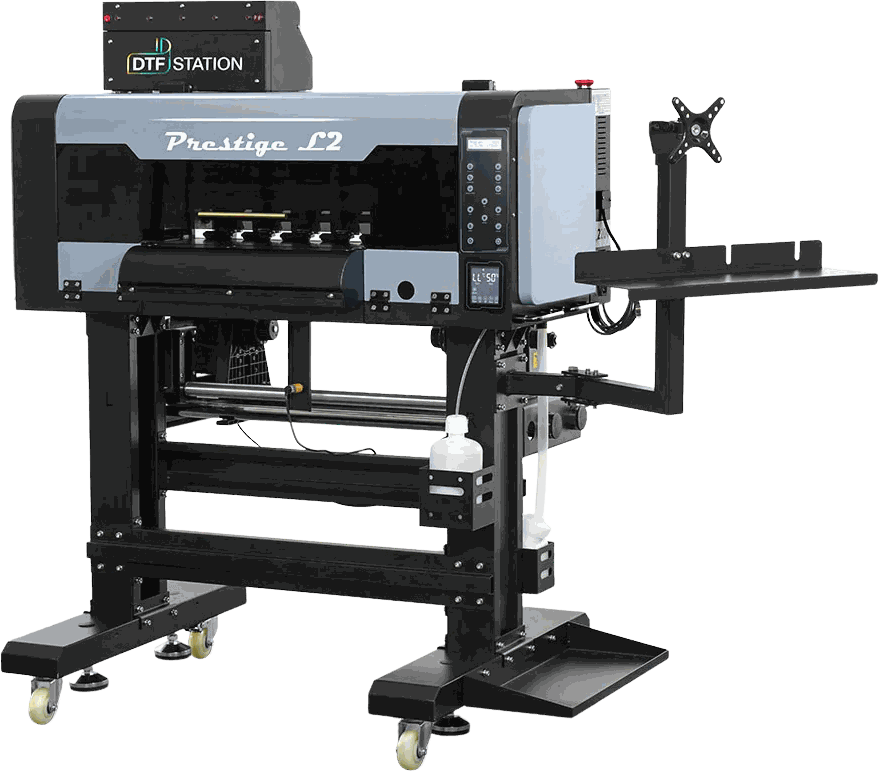
DTF printers
Prestige L2 & XL2
42 articles — setup, operation, maintenance and troubleshooting.
Download the guides 2
Setting up 1
Running it 1
Maintenance 1
Troubleshooting 35
- How to change the cap on the Prestige L2 & XL2 | DTF Station16 steps
- How to Troubleshoot Capping Station or Motherboard Error (Error code 4000, 13023) - Prestige L2 & XL2 -89 steps
- Prestige L2 & XL2 - Damper Test & Replacement28 steps
- Prestige L2 & XL2 - DTF General Troubleshooting
- Prestige L2 & XL2 - Fixing Heavy Clogs18 steps
- Prestige L2 & XL2 - How to Change Physical Damper Positions and Change Ink Order in Pilot Software88 steps
- Prestige L2 & XL2 - How to Change Wiper Blade17 steps
- Prestige L2 & XL2 - How to Connect Print Head Cables to the Daughterboard27 steps
- Prestige L2 & XL2 - How to Identify the Defective X Motor and Replace It35 steps
- Prestige L2 & XL2 - How to Inspect and Clean Encoder Strip20 steps
- Prestige L2 & XL2 - How To Perform a Standard & Reverse Waterfall13 steps
- Prestige L2 & XL2 - How to Perform Print Head Swap Test & Install Print Heads73 steps
- Prestige L2 & XL2 - How to Remove Current CMYK Inks and Fill Color Prime Chroma Ink38 steps
- Prestige L2 & XL2 - How to Replace Capping Station Assembly143 steps
- Prestige L2 & XL2 - How to Replace Capping Station Pump27 steps
- Prestige L2 & XL2 - How To Replace Dampers25 steps
- Prestige L2 & XL2 - How to Replace Ink Tube Assembly289 steps
- Prestige L2 & XL2 - How to Replace Screen Control Panel Assembly40 steps
- Prestige L2 & XL2 - How to Replace X Motor Drive Belt on Your Prestige L2, XL2, XL3, XL4 Printer51 steps
- Prestige L2 & XL2 - How To Store The Print Head23 steps
- Prestige L2 & XL2 - How to Troubleshoot 13047 Error Code or Print Pass Data Unfinished Error28 steps
- Prestige L2 & XL2 - How to Troubleshoot Unresponsive Pinch Rollers125 steps
- Prestige L2 & XL2 - How to Troubleshoot When the Print Head Carriage Does Not Move Properly56 steps
- Prestige L2 & XL2 - Prestige & Aries - How to Check and Adjust Print Head Carriage Home Position Using Pilot Software67 steps
- Prestige L2 & XL2 - Prestige & Aries - How to Troubleshoot Impact Stop Error42 steps
- Prestige L2 & XL2 - Prestige L & R Series - Troubleshooting No Ink Output66 steps
- Prestige L2 & XL2 - Prestige L Series - How to Troubleshoot & Replace Take Up System Sensor & Motor97 steps
- Prestige L2 & XL2 - Prestige Large Format - How to Replace Encoder Sensor81 steps
- Prestige L2 & XL2 - Prestige Large Format - How to Replace White Ink Diverter60 steps
- Prestige L2 & XL2 - Prestige Large Format - How to Troubleshoot Poor Nozzle Check112 steps
- Prestige L2 & XL2 - Prestige Large Format - Troubleshoot/Replace Power Supply Board, Ink Alarm, Sub Control Panel92 steps
- Prestige L2 & XL2 - Prestige Large Format & Aries - Troubleshooting & Replacing Parts: White Ink Circulation: A Step-by-Step Guide93 steps
- Prestige L2 & XL2 - Prestige Large Format Printers - How to Adjust the Tension Bar Bracket21 steps
- Prestige L2 & XL2 - Troubleshooting Guide: Resolving Vertical or Horizontal Lines on Films and Prints28 steps
- Prestige L2 & XL2 -Prestige Large Format & Aries - How to Replace Encoder Strip70 steps
Everything else 4
- Prestige L2 & XL2 - Ink Alarm Feature13 steps
- Prestige L2 & XL2 - Pilot Software - Setting the Correct Port and Changing the Language Pilot Program20 steps
- Prestige L2 & XL2 - Prestige & Aries - Controlling Ink Output with Pilot Software: Enhancing Color, White, and Varnish Layers17 steps
- Prestige L2 & XL2 - Replacing Ink Filter27 steps