
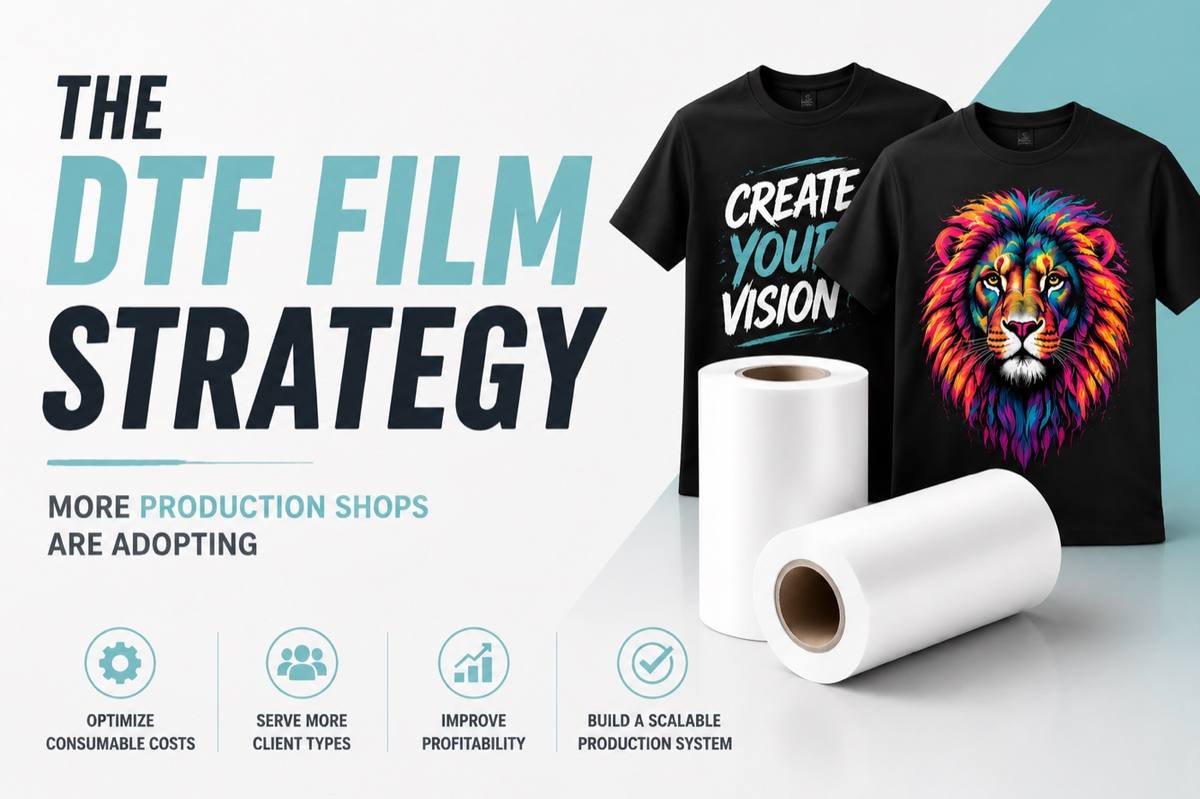
The DTF Film Strategy More Production Shops Are Adopting
Key Takeaways
- Implement a multi-tier DTF film strategy: cost-driven for jobs where controlling consumable costs is critical, quality-driven for premium retail-focused work.
- Align consumable usage with production priorities to reduce waste and protect margins.
- Use SOPs and locked RIP presets to swap films efficiently without disrupting printer calibration.
- Test new films systematically; monitor spoilage, reprints, and customer-fit outcomes.
Introduction
Many shops unknowingly inflate consumable costs by using a single type of DTF film for all jobs. This “one-size-fits-all” approach disconnects material cost from job value, often leading to inefficiency and reduced profitability.
Table of Contents
- Key Takeaways
- Introduction
- What is a Multi-Tier DTF Film Strategy?
- Understanding Cost-Driven Workflows
- Understanding Quality-Driven Workflows
- Segmenting Your Print Queue
- Practical Implementation Tips
- Structuring Your Client Pricing Tiers
- Frequently Asked Questions
- How do I pitch different film options to wholesale buyers?
- Do I need different ICC profiles for different DTF film configurations?
- How should I structure pricing for a multi-tier film strategy?
- Conclusion
A multi-tier DTF film strategy helps shops match film choice to production priorities:
- Cost-driven workflows for jobs where minimizing consumable cost is critical.
- Quality-driven workflows for premium or retail-focused orders.
By aligning consumables with job requirements, shops gain flexibility, cost efficiency, and consistent output across a diverse client base.
What is a Multi-Tier DTF Film Strategy?
A multi-tier DTF film strategy allows shops to match consumables to job priorities. Rather than forcing every order through a universal film, production managers can:
- Use cost-driven films for jobs where cost is the priority
- Use quality-driven films for jobs where finish, hand feel, or retail presentation matter
This approach treats consumables as flexible tools instead of fixed costs, allowing shops to scale efficiently and serve a wider range of clients without overusing premium materials.
Benefits:
- Enhances scalability across client types
- Reduces material overuse
- Improves workflow flexibility
- Protects margins
Understanding Cost-Driven Workflows
Not all cost-driven jobs are high-volume — the defining factor is minimizing consumable cost while meeting job requirements.
Common Applications:
- Budget-conscious promotional orders
- Low-margin repeat contracts
- Internal merchandise
- Projects with tight turnaround or client-driven cost constraints
Focus:
- Efficient use of film and powder
- Reducing waste while maintaining acceptable finish
- Protecting premium inventory for high-value orders
How Shops Implement:
- Adjust RIP settings, ink density, or production sequence
- Batch similar jobs together for smoother workflow
- Educate sales teams to frame these workflows around efficiency and customer priorities, not “cheap vs premium”
Understanding Quality-Driven Workflows
Quality-driven workflows prioritize finish, color vibrancy, and hand feel, typically for retail or boutique clients.
Common Applications:
- Boutique or retail brands
- Premium uniforms
- Customer-facing merchandise
- Fashion-focused graphics
Focus:
- Smooth gradients and consistent color
- Soft hand feel and premium finish
- Meeting client expectations for retail-quality presentation
Implementation Tips:
- Show physical samples to clients for side-by-side comparison
- Reserve quality-focused films for these jobs to prevent overuse
- Educate the team to present this workflow as a premium service, not just an expensive option
Segmenting Your Print Queue
Organizing jobs based on workflow type can save time and reduce mistakes.
- Cost-driven jobs: Group budget-priority orders to reduce material waste and improve cost-per-print efficiency
- Quality-driven jobs: Group premium orders to maintain finish consistency
Batching jobs like this helps reduce roll swaps, minimizes downtime, and ensures operators aren’t constantly recalibrating settings.
Practical Implementation Tips
- Locked RIP Profiles: Save presets for each film type to maintain consistent output
- Film Swapping SOPs: Assign white ink densities, heater settings, and curing parameters for each workflow
- Audit Consumables: Track spoilage, powder waste, and reprint volume
- Testing New Films: Isolate variables, use standardized graphics, and gather production feedback
Framing segmentation around customer-fit, rather than just cost-cutting, reduces risk and ensures smooth workflow adoption.
Structuring Your Client Pricing Tiers
One of the most effective ways to structure pricing is by aligning consumable configurations with different customer priorities.
Instead of applying a flat transfer rate to every job, shops can align pricing more accurately with production requirements and customer expectations.
Train your sales team to sell the final production outcome rather than the raw consumables themselves. If a customer requests a lower-cost option, guide them toward the workflow that best matches their priorities instead of discounting higher-end production configurations unnecessarily.
What this means for your business: customer-fit pricing structures help capture a wider range of buyers while protecting margins across different types of work.
Frequently Asked Questions
How do I pitch different film options to wholesale buyers?
Position different film configurations around customer priorities and garment goals. Some buyers prioritize cost efficiency and scalability, while others prioritize finish quality and retail presentation.
Using physical garment samples during the quoting process helps customers understand how different workflows align with different production outcomes.
Do I need different ICC profiles for different DTF film configurations?
Different film configurations may require different RIP and ink settings to optimize consistency, color output, and production behavior.
Saving these configurations as locked presets helps operators switch workflows quickly while maintaining stable output quality.
How should I structure pricing for a multi-tier film strategy?
Structure pricing around production goals and finish expectations rather than raw material cost alone.
Cost-driven workflows can prioritize scalability and competitive pricing, while quality-driven workflows may support elevated garment presentation and higher-value retail applications.
This approach gives customers clearer production options while helping shops maintain healthier margins across different order types.
Conclusion
A multi-tier DTF film strategy transforms how shops manage consumables and production priorities. By treating films as flexible tools rather than fixed costs, shops can:
- Improve operational efficiency
- Protect margins on all job types
- Serve a broader client base
- Scale production workflows without sacrificing quality
Moving away from a one-size-fits-all approach is critical, giving shops a chance to implement smarter, more profitable consumable strategies.