
How to Prevent DTF Printhead Clogs: The Ultimate Shop Owner’s Guide to Eliminating Downtime
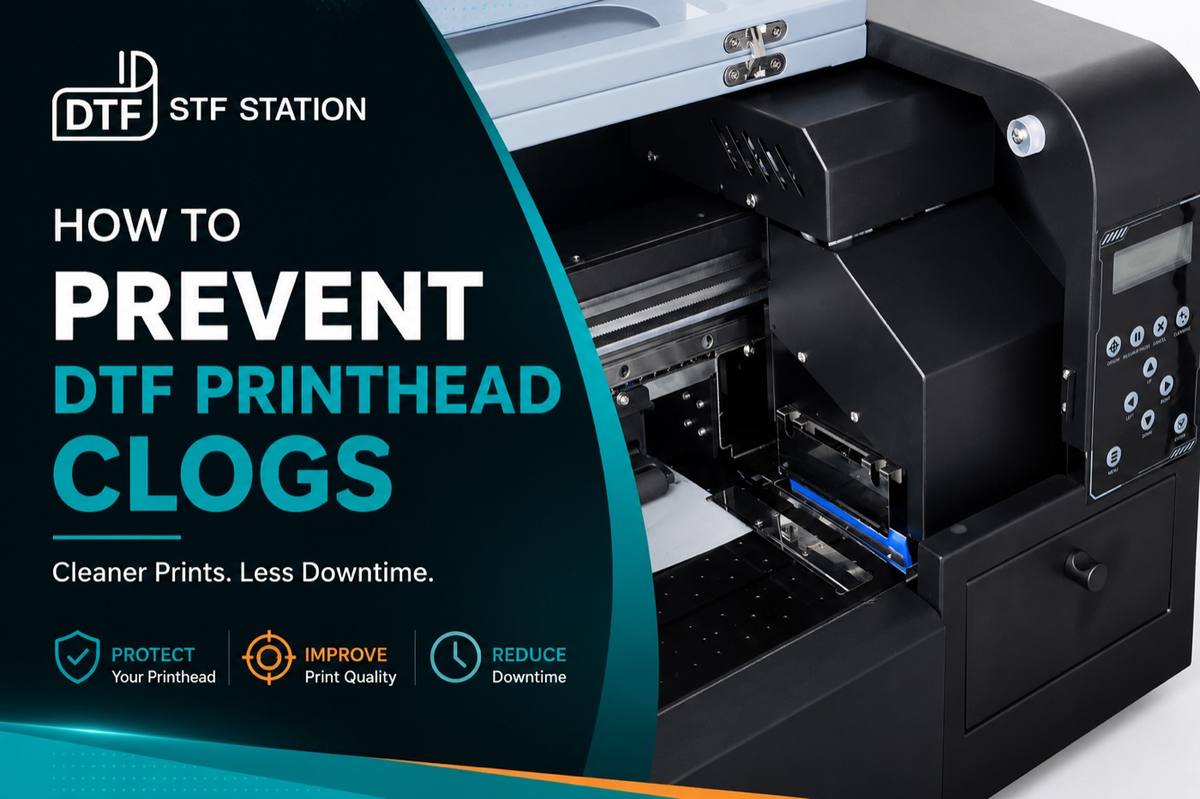
The Hidden Cost of DTF Printer Downtime
A dtf printhead clogged with dried ink is a nightmare that instantly halts your production line. Suddenly, you’re looking at a $1,500 to $2,000 hardware replacement, not to mention the thousands bleeding out from delayed fulfillment. When your equipment starts showing severe banding or missing white channels, your profit margins simply stop dead in their tracks.
Table of Contents
- The Hidden Cost of DTF Printer Downtime
- Key Takeaways
- The True Financial Impact of a Clogged Printhead
- Quick Answer: How to Fix & Prevent a Clogged DTF Printhead Fast
- Immediate Fix Protocol
- Core Prevention Metrics
- The Chemistry of Clogs: Why White Ink (TiO2) Settling Destroys Margins
- The $30 Damper vs. The $2,000 Printhead: Diagnosing the Real Cause of Banding
- Environmental Control: Humidity and Temperature Metrics for Continuous Printing
- Upgrade to High-Suspension Inks
- 3 Fatal Maintenance Mistakes to Avoid
- Melting Piezoelectric Membranes with DIY Solvents
- Throwing Away a Printhead Over a Damper
- Skipping the “Wet Capping” Protocol
- High-Volume Maintenance SOPs: Daily, Weekly, and Monthly Checklists for Operators
- Daily Operator Checklist
- Weekly Deep-Cleaning Protocol
- Monthly Preventative Replacement
- The ‘Wet Capping’ Technique: Protecting Your Ink Channels During Vacations and Weekends
- Chemical Warnings: Why DIY Solvents Melt Piezoelectric Membranes
- Choosing High-Performance Cleaning Solutions to Maximize Printhead Lifespan
- Automated White Ink Circulation (WIMS): Eliminating Manual Maintenance Bottlenecks
- Keep White Ink Ready Before It Reaches the Printhead
- Why an Ink Shaker Helps
- Scaling with Smart Equipment: When Automation Starts to Matter
- Frequently Asked Questions
- Is my DTF printhead permanently clogged, or is it a bad damper?
- What are the exact temperature and humidity requirements to prevent DTF clogs?
- Can I use hardware store solvents to clear a printhead clog?
- Why does my white DTF ink clog faster than CMYK colors?
- How do I safely leave my DTF printer idle over the weekend?
- Conclusion: Stop Replacing Hardware and Start Printing Profitably
Key Takeaways
- Maintain your production environment at 40%–60% humidity and 59°F–86°F (15°C–30°C) to keep ink from drying out on the nozzle plate.
- Always check your damper for air leaks before you assume a printhead is permanently dead.
- White ink is packed with heavy Titanium Dioxide (TiO2) that settles quickly. You need active agitation or automated circulation to keep clogs at bay.
Every single hour you spend running panicked nozzle checks is an hour you aren’t printing sellable transfers. B2B buyers and wholesale clients expect fast turnovers and strict adherence to deadlines. If your machine is down, you can’t fulfill those high-volume bulk orders—and that directly damages both your reputation and your cash flow.
The True Financial Impact of a Clogged Printhead
| Cost Category | Estimated Financial Loss | Business Impact |
|---|---|---|
| Hardware Replacement | $1,500 – $2,000 | Direct capital expense for a new commercial printhead. |
| Consumables Waste | $50 – $150 | Wasted ink and film from endless, failed head cleaning cycles. |
| Labor & Idle Time | $200+ per incident | Paying staff to troubleshoot instead of producing sellable goods. |
| Lost Wholesale Revenue | $1,000+ per day | Missed daily quotas, canceled bulk orders, and lost rush-order premiums. |
What this means for your business: High-margin B2B sales rely completely on predictable, rapid fulfillment. You close sales faster and lock in repeat wholesale clients only when you can guarantee your equipment’s uptime.
Strict dtf printer maintenance isn’t just a daily chore; it’s how you protect your revenue. Stocking the right preventative supplies and backup parts ensures your inventory keeps moving smoothly. Plus, when you eliminate downtime, you unlock the capacity to offer lucrative same-day or next-day turnaround bundles to your B2B clients.
Protect your margins by treating printhead health as the absolute foundation of your sales strategy. If your current setup constantly demands manual intervention, your operational costs are sitting artificially high.
Explore equipment built for high sell-through: consult with a DTF equipment specialist to audit your current printhead longevity and upgrade your maintenance workflow.
Quick Answer: How to Fix & Prevent a Clogged DTF Printhead Fast
To fix a clogged DTF printhead fast, immediately flush the affected channels with a dedicated DTF cleaning solution using a syringe for a gentle waterfall test. Before doing this, verify that your dampers are not leaking air, as a starved damper perfectly mimics a dead printhead. To prevent future clogs, maintain your production environment at 40%–60% humidity and 59°F–86°F (15°C–30°C) to stop white ink from drying on the nozzle plate.
When missing channels or severe banding bring your production line to a grinding halt, it’s easy to panic and assume the hardware is permanently trashed. But the reality? It’s usually just a breakdown in basic dtf printer maintenance or environmental control. By following a strict recovery and prevention protocol, you can restore your printing capacity without dropping cash on unnecessary capital expenses.
Immediate Fix Protocol
- Check the Damper First: A failing damper completely mimics a clogged printhead. Always inspect these cheap consumables for air leaks before you go out and buy a replacement printhead.
- Flush Safely: Use a chemically verified formulation like Color Prime Cleaning Solution. Never reach for DIY hardware store solvents—they will literally melt your internal piezoelectric membranes.
- Perform a Gentle Waterfall Test: Using a syringe and minimal pressure, push the cleaning fluid through the printhead. This safely breaks up the calcified ink without damaging the hardware.
Core Prevention Metrics
- Environmental Control: Keep your humidity strictly between 40%–60%. If it drops below 40%, you’re practically guaranteeing that ink will dry directly on those microscopic nozzles.
- Temperature Guardrails: Hold your room temperature between 59°F–86°F (15°C–30°C) to keep ink viscosity in the sweet spot.
- Idle Hydration: Lean on the “wet capping” technique over the weekends. It keeps the printhead hydrated and stops heavy Titanium Dioxide (TiO2) white ink from settling.
What this means for your business: Predictable equipment uptime is the heartbeat of your fulfillment speed. When you put an end to printhead clogs, your inventory flies out the door and your margins stay healthy.
B2B buyers care about unwavering consistency and rapid turnarounds. A shop that consistently hits its deadlines can confidently pitch higher-margin, expedited fulfillment packages. Mastering how to prevent dtf printhead clogs means you’ll never have to turn down a profitable wholesale order just because a machine is down.
Key Terms Glossary
- TiO2 (Titanium Dioxide): A heavy, dense chemical compound used to create the bright, opaque white underbase in DTF printing, which rapidly settles out of fluid suspension if not agitated.
- WIMS (White Ink Management System): An automated mechanical system that continuously circulates and filters white ink to prevent heavy pigments from settling and clogging the printhead.
The Chemistry of Clogs: Why White Ink (TiO2) Settling Destroys Margins
Let’s look at the science. White DTF ink clogs printheads because it’s packed with heavy Titanium Dioxide (TiO2) pigments. These particles rapidly settle out of suspension, turning into a solid sludge that easily blocks up microscopic nozzles.
To get that brilliant, opaque white underbase you need for dark garments, ink manufacturers have to use TiO2. The catch? This chemical compound is much denser than the liquid carrier fluids used in your cyan, magenta, yellow, and black (CMYK) inks. If your printer just sits there without aggressive agitation, gravity goes to work, pulling those heavy metallic particles straight down.
When dtf white ink settling happens, you get hit with two expensive failures at once. First, the watery carrier fluid gets pulled through the printhead, leaving you with weak, translucent prints that won’t pass quality control. Second, the heavy, separated TiO2 gets trapped in your dampers, triggering a severe dtf printhead clogged error that shuts down your entire production line.
Stop losing profitable uptime to manual ink shaking. Explore our commercial DTF printers with automated white ink circulation to eliminate pigment settling entirely.
The Business Cost of White Ink Separation:
| Ink State | Chemical Reality | Production Impact |
|---|---|---|
| Suspended (Agitated) | TiO2 is evenly distributed in carrier fluid. | High-opacity underbase, fast product turnover. |
| Separated (Settled) | Carrier fluid separates from heavy pigment. | Translucent prints, rejected wholesale orders. |
| Calcified (Clogged) | TiO2 hardens inside the damper or printhead. | $2,000 hardware replacement, halted fulfillment. |
Understanding a bit of ink chemistry is one of the best ways to protect your profit margins. B2B buyers demand vibrant colors on dark garments, and that absolutely requires a flawless, bright white underbase. By actively managing your ink suspension—whether through automated circulation or a strict manual agitation schedule—you guarantee the pinpoint consistency that wholesalers expect.
What this means for your business: Selling premium, high-volume DTF transfers requires dead-on color consistency and bulletproof equipment uptime. When you stop TiO2 from settling, your prints cure beautifully, wash fastness goes up, and your customers reorder sooner. You can confidently pitch bulk orders to corporate clients and sports leagues, resting easy knowing your white channels won’t drop out mid-run.
The $30 Damper vs. The $2,000 Printhead: Diagnosing the Real Cause of Banding
Believe it or not, a failing, air-leaking $30 damper often causes the exact same banding and missing white channels as a permanently clogged $2,000 printhead. It’s incredibly common for operators to panic after a failed nozzle check, assuming their core hardware is toast and halting the whole fulfillment pipeline. But before you pull out the company card for an expensive replacement part, you need to isolate your ink delivery system.
Dampers serve as the final filter and pressure regulator right before ink hits the piezoelectric nozzles. Over time, the internal mesh filter inside a damper catches coagulated Titanium Dioxide (TiO2). When that mesh gets blocked, or if the plastic seal develops even a microscopic leak, the printhead starts pulling air instead of ink.
This sudden loss of vacuum pressure starves the channels, resulting in severe banding that looks exactly like a fatal dtf printhead clogged error. Swapping in a fresh damper restores that pressure instantly—and saves your hardware investment.
Diagnosing the True Source of Banding:
| Symptom | Diagnosis | Action Required |
|---|---|---|
| Ink drops out mid-print | Damper air leak: loss of vacuum pressure. | Replace the damper immediately. |
| Channels return briefly, then vanish | Damper filter is choked with settled TiO2. | Swap damper and agitate white ink lines. |
| Stubborn, permanent blockage | Calcified printhead clog. | Execute chemical flush or replace head. |
Mastering these basic diagnostics is a great way to protect your cash flow. Your B2B clients don’t care about your equipment headaches; they just want their wholesale transfers delivered on time. Training your team to spot the difference between a simple pressure drop and a calcified clog ensures you’ll never miss a delivery date.
What this means for your business: Keeping a surplus of dampers on hand—and knowing exactly how to swap them—drastically cuts down your operational downtime. You get to maintain your high-margin production schedules and fulfill bulk orders without taking a massive financial hit. Your business moves faster when your equipment stays online, turning what could be weeks of halted production into a painless, five-minute maintenance swap.
Environmental Control: Humidity and Temperature Metrics for Continuous Printing
Keeping your print room dialed into 40%–60% humidity and 59°F–86°F (15°C–30°C) is hands down the most effective way to prevent a dtf printhead clogged error. When the humidity dips below 40%, the ambient air aggressively sucks moisture right out of the capping station and nozzle plate.
This rapid evaporation causes heavy Titanium Dioxide (TiO2) pigments to calcify directly inside the micro-channels. Once that calcification sets in, you’re looking at immediate banding and forced production delays.
Temperature swings outside of that 15°C–30°C window directly mess with your ink viscosity. Cold ink gets thick and chokes up the dampers, while overheated ink thins out too much, leading to messy pooling and completely ruined transfers.
Every time you have to run an emergency head cleaning to fix climate-induced errors, you’re throwing away expensive ink and burning valuable fulfillment time. Taking control of your environment guarantees a predictable ink flow, completely eliminating the need for constant manual intervention.
Optimal DTF Climate Metrics:
| Metric | Target Range | Commercial Impact |
|---|---|---|
| Relative Humidity | 40% – 60% | Prevents premature ink drying on the nozzle plate. |
| Temperature | 59°F – 86°F (15°C – 30°C) | Maintains optimal ink viscosity for high-speed printing. |
| Airflow | Low/No direct drafts | Stops accelerated evaporation at the capping station. |
Mastering your shop’s environment protects your production schedule. B2B buyers expect spot-on color matching and solid white underbases on every single piece. Stabilizing your climate ensures your printer actually delivers that level of consistency across hundreds of consecutive prints.
What this means for your business: Investing in commercial humidifiers and strict HVAC control translates straight into faster inventory turnover. By eliminating weather-related downtime, you can confidently quote much tighter turnaround times for bulk orders. Running your hardware continuously means pushing more volume out the door, and ultimately, capturing higher profit margins.
Upgrade to High-Suspension Inks
Making the jump to high-suspension DTF inks keeps those heavy titanium dioxide (TiO2) particles floating evenly, permanently cutting down the exact settling that triggers a dtf printhead clogged error. It’s simple math: you spend less time running maintenance cycles and more time printing profitable transfers.
Standard white DTF inks tend to separate rapidly, both in the bottle and in your ink lines. When that heavy pigment drops out of suspension, it turns into a thick sludge that chokes your dampers and blocks the micro-channels of your printhead.
High-suspension formulas, on the other hand, are chemically engineered to delay this separation significantly. This prevents micro-clogging at the nozzle plate and stops you from accidentally introducing air bubbles into the lines through excessive manual shaking.
Consistent white ink flow guarantees a dense, opaque underbase on every single transfer. You can confidently pitch high-margin garments and complex SKUs to B2B clients knowing the print quality won’t degrade mid-run. Bundle these premium prints into higher-priced packages to really maximize your revenue per client.
Stop wasting your day—and your raw materials—on endless head cleanings. Protect your hardware by switching to a high-quality, properly formulated DTF ink to keep your production schedule aggressive and completely predictable.
High-Suspension vs. Standard DTF Inks:
| Feature | High-Suspension Inks | Standard Inks | Commercial Impact |
|---|---|---|---|
| TiO2 Settling Rate | Slow and stable | Fast and sludgy | Eliminates midday maintenance halts. |
| Printhead Lifespan | Extended | Reduced | Saves $1,500+ on replacement parts. |
| White Opacity | Consistently dense | Variable and streaky | Drives higher customer reorder rates. |
What this means for your business: Reliable ink chemistry lets you batch-print massive wholesale orders without constantly pausing to clear out choked white channels. Faster, uninterrupted printing radically speeds up your inventory turnover. This drives down your labor costs per garment and gives your daily profit margins a serious boost.
3 Fatal Maintenance Mistakes to Avoid
Trashing a $2,000 printhead usually boils down to three avoidable operator errors: using harsh DIY solvents, ignoring failing dampers, or forgetting to hydrate the capping station. Steering clear of these specific mistakes will keep your production lines humming and save you from catastrophic hardware replacement costs.
Melting Piezoelectric Membranes with DIY Solvents
Never reach for Windex, WD-40, or high-percentage isopropyl alcohol to clear a dtf printhead clogged error. These harsh, hardware-store chemicals will aggressively melt the microscopic piezoelectric membranes inside your printhead.
Once that internal membrane breaks down, the printhead is permanently destroyed, and your fulfillment capacity drops to zero. You must exclusively use a dedicated DTF printhead cleaning solution that is specifically formulated to break down DTF ink safely.
Throwing Away a Printhead Over a Damper
It happens all the time: operators trash a $2,000 printhead when the actual culprit is just a simple $30 damper. Dampers control the pressure and flow of the ink entering the nozzles.
If one develops even a tiny air leak, it perfectly mimics the banding and missing white channels of a severe clog. Train your staff to swap out those cheap dampers first before assuming a printhead is dead.
Tired of relying on manual troubleshooting to hit your daily production quotas? Explore commercial DTF printers with automated white ink circulation built to guarantee high sell-through and maximum uptime.
Skipping the “Wet Capping” Protocol
Leaving your printer idle over the weekend without wet capping is a guaranteed recipe for a clogged nozzle plate. The heavy Titanium Dioxide (TiO2) in white ink rapidly turns into solid cement when exposed to ambient room air.
Fill your capping station with distilled water or dedicated capping fluid to keep the printhead perfectly hydrated during any downtime. This ensures you can start printing immediately on Monday morning without burning an hour on manual head cleanings.
What this means for your business: Eliminating these three basic operator errors drastically extends the life of your hardware and protects your working capital. When your machines stay online consistently, you fulfill bulk B2B orders much faster. Faster wholesale fulfillment accelerates your cash flow, empowering you to confidently pitch larger, high-margin accounts without the constant fear of missing deadlines.
High-Volume Maintenance SOPs: Daily, Weekly, and Monthly Checklists for Operators
Implementing strict daily, weekly, and monthly Standard Operating Procedures (SOPs) is genuinely the only guaranteed way to prevent a dtf printhead clogged emergency and keep high-volume production lines moving. Consistent maintenance is what stops heavy Titanium Dioxide (TiO2) from settling and wrecking your hardware.
Print shops that rely on memory rather than documented checklists always suffer the highest failure rates. Structuring your maintenance ensures that every single operator holds the exact 40%–60% humidity and 59°F–86°F (15°C–30°C) temperature ranges required for continuous, flawless printing.
Daily Operator Checklist
- Agitate White Ink: Gently shake the white ink tanks for 30 seconds to resuspend those heavy TiO2 pigments before they have a chance to calcify.
- Verify Environment: Confirm the print room is reading strictly between 40%–60% humidity to keep ink from drying on the nozzle plate.
- Run Nozzle Checks: Print a quick diagnostic test before running production so you can catch early channel dropouts.
- Clean the Wiper Blade: Wipe off any excess coagulated ink so it doesn’t smear right back across your delicate printhead.
Weekly Deep-Cleaning Protocol
- Swab the Capping Station: Carefully remove dried ink crusts around the rubber seals to guarantee a perfect, airtight vacuum.
- Clean Printhead Edges: Use specialized foam swabs and a [dedicated DTF printhead cleaning solution] to gently clean around the perimeter.
- Inspect Dampers: Check for air bubbles or micro-leaks in the dampers that might mimic a dead printhead.
Monthly Preventative Replacement
| Maintenance Task | Action Required | Commercial Impact |
|---|---|---|
| Wiper Blade Swap | Replace the rubber wiper blade entirely. | Prevents scratching the delicate piezoelectric printhead surface. |
| Damper Health Check | Swap any dampers showing restricted ink flow. | Saves a $2,000 printhead replacement by fixing a $30 part. |
| Spittoon Clearing | Empty and clean the waste ink pad / spittoon. | Stops waste ink from overflowing and short-circuiting electronics. |
What this means for your business: Predictable maintenance builds predictable production capacity. When your operators stick to exact SOPs, you never have to delay a massive wholesale order just because a machine unexpectedly went down. Hitting tight B2B deadlines builds serious buyer trust, which lets you confidently bundle more SKUs into your pitches and command much higher profit margins.
The ‘Wet Capping’ Technique: Protecting Your Ink Channels During Vacations and Weekends
Wet capping is a simple but brilliant process: you pool a dedicated cleaning solution or distilled water into the capping station to keep the printhead fully hydrated. This prevents a dtf printhead clogged emergency whenever the printer is experiencing downtime.
When you power down for the weekend, residual white ink containing heavy Titanium Dioxide (TiO2) is left resting on the nozzle plate. Without moisture, this pigment calcifies rapidly, turning into a solid crust that destroys the channels. Wet capping creates an airtight, localized high-humidity environment directly against the nozzles to stop this hardening in its tracks.
To get this right, you first have to make sure the rubber seal around the capping station is perfectly clean. Even a tiny bit of dried ink on the rim will break the vacuum seal, letting air sneak in and dry out the system. And remember, you must always maintain the ambient room environment at those strict 40%–60% humidity and 59°F–86°F (15°C–30°C) metrics, even when the shop is closed.
Stop losing prime production hours to Monday morning maintenance. Equip your shop with a dedicated DTF printhead cleaning solution so you can safely execute your wet capping routine without degrading the printer’s internal components.
Standard Operating Procedure for Wet Capping:
- Step 1: Clean the perimeter. Swab the capping station’s rubber seal to guarantee a flawless airtight vacuum.
- Step 2: Flood the cap. Fill the capping station pad with DTF Station Color Prime Cleaning Solution or distilled water until it pools just slightly.
- Step 3: Park the carriage. Move the printhead back to its home position so it seals firmly against the wet pad.
What this means for your business: Walking into a dead machine destroys your production schedule and eats right into your profit margins. Wet capping ensures your printer is ready to strike the second you walk in on Monday morning, saving you from a surprise replacement bill.
Faster start-ups mean you can promise tighter turnaround times to your wholesale clients. Leverage this guaranteed uptime to pitch “24-hour rush fulfillment” bundles to your B2B buyers—you can command higher profit margins simply because your hardware is always ready to print.
Chemical Warnings: Why DIY Solvents Melt Piezoelectric Membranes
Pouring hardware store chemicals like Windex, WD-40, or high-concentration isopropyl alcohol directly into your machine is a massive mistake. Instead of clearing a clog, these solvents will melt the internal piezoelectric membranes and permanently destroy your printhead.
These industrial solvents are way too aggressive for the delicate internal adhesives and micro-components inside a modern DTF printhead. Sure, they might break down the Titanium Dioxide (TiO2) in white ink, but they simultaneously dissolve the internal seals. The moment those seals breach, ink floods into the electronic circuitry, causing an immediate short circuit and total hardware failure.
A dtf printhead clogged with calcified white ink is definitely a frustrating delay, but melting the membrane guarantees you’ll be writing a check for a $1,500–$2,000 printhead replacement. Never inject harsh DIY solvents into your ink channels, and don’t use them to soak a $30 damper either.
Chemical Impact Comparison for DTF Maintenance
| Chemical Type | Impact on White Ink (TiO2) | Impact on Piezoelectric Printhead |
|---|---|---|
| Isopropyl Alcohol | Dries out residual ink rapidly. | Hardens rubber seals and cracks internal membranes. |
| Windex / Ammonia | Dissolves surface-level pigment. | Corrodes the metal nozzle plate and shorts electronics. |
| Color Prime Solution | Safely suspends calcified TiO2. | Lubricates channels and preserves delicate adhesives. |
What this means for your business: A predictable hardware lifespan has a direct impact on your profit margins and wholesale pricing strategy. When you stick to chemically safe maintenance fluids, you eliminate sudden replacement costs and unexpected downtime.
You can confidently take on large-volume B2B orders with the absolute certainty that your equipment won’t fail mid-run. Pitch this reliability to your clients as a core selling point. Your shop guarantees on-time delivery because you maintain commercial-grade production standards and never cut corners with cheap hardware store hacks.
Choosing High-Performance Cleaning Solutions to Maximize Printhead Lifespan
If you want to dissolve Titanium Dioxide (TiO2) safely without destroying your internal adhesives, choosing a purpose-built DTF cleaning fluid chemically formulated for piezoelectric systems is the only guaranteed way to do it.
Standard DTF white ink relies heavily on TiO2 pigments that inevitably settle and calcify inside your ink channels. A high-performance fluid, like Color Prime Cleaning Solution, actively suspends these heavy particles so you can flush them out safely. This chemical compatibility is what prevents the microscopic clogs that cause severe banding and bring production to a standstill.
Cheap or incorrect fluids will leave behind a nasty chalky residue or cause the internal rubber seals to swell up. When you use a chemically matched solution, you preserve that delicate nozzle plate and keep the ink flowing smoothly at the required 40%–60% humidity levels. And always remember to flush your dampers with this solution before you assume a printhead is permanently blocked.
Key Traits of a Commercial-Grade Cleaning Solution:
- Chemical Neutrality: Safely breaks down calcified white ink without melting the internal piezoelectric membranes.
- Suspension Properties: Lifts and holds heavy TiO2 particles so they flush right out during a standard maintenance cycle.
- Hydration Retention: Keeps the nozzle plate from drying out when you use it for wet capping over weekends or holidays.
What this means for your business: Maximizing your printhead’s lifespan directly protects your operational cash flow and your profit margins. You completely eliminate the downtime required to troubleshoot or swap out a printhead, which keeps your production schedule strictly on track.
When B2B buyers and wholesale clients demand tight turnaround times, you’re the shop that actually delivers. Pitch this consistency to your high-volume clients to start winning bigger contracts. You can confidently promise faster fulfillment and take on premium rush orders because your equipment runs on commercial-grade maintenance fluids that guarantee continuous, high-quality output.
Automated White Ink Circulation (WIMS): Eliminating Manual Maintenance Bottlenecks
Automated White Ink Circulation (WIMS) is a game-changer. It prevents clogs by continuously agitating the Titanium Dioxide (TiO2) pigments in white ink, completely eliminating the manual labor of shaking tanks by hand.
Heavy TiO2 particles settle incredibly fast when a printer sits idle. Without constant movement, this settling forms a thick sludge that blocks ink channels and looks exactly like a dead printhead. WIMS solves this by mechanically cycling the ink from the main tank straight through the dampers, keeping the heavy pigment perfectly suspended at all times.
Relying on manual agitation just introduces costly human error. Operators often forget to shake the tanks, or they agitate them too violently, introducing micro-bubbles that cause severe print banding. A closed-loop WIMS maintains exact flow rates, protecting those delicate piezoelectric membranes and your dampers from air-induced failures.
Manual Agitation vs. Automated WIMS
| Maintenance Factor | Manual Ink Shaking | Automated WIMS Technology |
|---|---|---|
| Pigment Suspension | Inconsistent, high risk of TiO2 settling | Continuous, guaranteed chemical suspension |
| Labor Cost | High, requires daily operator intervention | Zero, machine handles agitation automatically |
| Air Introduction | High risk of creating micro-bubbles | Closed-loop system prevents air leaks |
What this means for your business: Automating your ink circulation drastically ramps up your daily production capacity. You spend zero billable hours unclogging lines, replacing hardware, or running redundant nozzle checks.
Consistent white opacity means brighter, more durable colors on dark garments. Pitch this superior print quality to wholesale clients to easily justify higher retail margins. Bundle premium dark-garment prints as high-margin SKUs, and sell them on the promise that your automated equipment guarantees flawless, retail-ready opacity on every single run.
Explore DTF printers with automated white ink circulation to see firsthand how automated hardware protects your production timeline.
Keep White Ink Ready Before It Reaches the Printhead
In daily DTF production, operators usually shake or mix white ink before startup, after printer downtime, during ink refills, or before running heavy white underbase jobs. This step matters because DTF white ink contains Titanium Dioxide (TiO₂), a dense pigment that naturally settles over time.
Manual shaking can help, but the result depends heavily on timing, force, and operator habits. An ink shaker makes this process more consistent by keeping white ink better mixed before it enters the printer system.
With more stable pigment suspension, shops can support smoother white ink flow, stronger opacity, and more reliable output—especially for dark garments, bulk orders, and repeat jobs.
Why an Ink Shaker Helps
- More Stable White Ink Suspension: Helps keep TiO₂ pigment evenly mixed for smoother white ink flow.
- Less Operator Variation: Reduces inconsistency caused by different manual shaking habits.
- Better White Coverage: Supports stronger, more even underbases on dark garments.
- Smoother Daily Production: Helps reduce avoidable interruptions before and during print runs.
What this means for your business:
An ink shaker helps turn white ink maintenance into a more controlled process. Your team spends less time worrying about ink preparation and more time producing consistent, sellable prints.
For B2B orders, this consistency is a clear advantage: cleaner dark-garment prints, more reliable repeat jobs, and stronger confidence from the first piece to the last.
Scaling with Smart Equipment: When Automation Starts to Matter
As DTF production grows, daily maintenance starts to affect more than printer care. It can influence output speed, labor planning, order consistency, and how confidently your team handles repeat or bulk jobs.
Entry-level DTF printers can be a practical starting point for smaller workloads. But when order volume increases, tasks like white ink mixing, nozzle checks, capping care, and cleaning routines become harder to manage manually.
That is where the DTF Station printer product line gives shops a clearer growth path. From entry-level production setups to Pro-level models with more automation, each system is designed to support different stages of DTF business growth.
For higher-volume shops, Pro-level features such as automated white ink circulation, improved ink flow control, and more reliable capping support help reduce daily maintenance pressure and keep production more stable.
The goal is not simply to replace manual work. It is to build a more predictable workflow where operators spend less time reacting to maintenance issues and more time printing, pressing, packing, and fulfilling orders.
Entry-Level vs. Pro Model Production Metrics
| Production Factor | Entry-Level Maintenance | DTF Station Pro Model Technology |
|---|---|---|
| White Ink (TiO2) | Manual shaking, creating air-locks and clogs. | Automated WIMS ensures proper suspension. |
| Printhead Hydration | Requires manual wet capping daily. | Sealed capping stations prevent air exposure. |
| Downtime Risk | High risk of $1,500+ printhead replacements. | Mechanical automation drastically reduces clogs. |
| Labor Cost | 1–2 hours daily spent on cleaning cycles. | Operators focus strictly on printing and pressing. |
What this means for your business: Upgrading to automated equipment guarantees maximum uptime, allowing you to multiply your daily SKU output without having to hire more staff. You stop paying employees to flush out ink lines and start paying them to actually fulfill profitable bulk orders.
Pitch your clients on guaranteed 24-hour turnarounds to win lucrative B2B contracts. When you eliminate the risk of mid-run printhead clogs, you can confidently sell premium rush services. Bundle high-margin items like customized corporate outerwear, knowing your automated system will deliver flawless white underbases on every single piece.
Explore the DTF Station printer product line to find the right production setup for your current volume and future growth.
| Model | Prestige R1 | Prestige R2 Pro | Prestige L2 | Prestige XL2 | Prestige XL2 Pro | Prestige XL3 | Prestige XL4 | Prestige X6 |
|---|---|---|---|---|---|---|---|---|
| Photo |  |  |  | 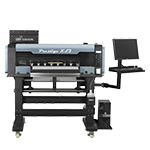 | 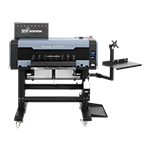 | 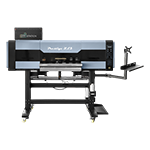 | 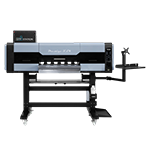 | 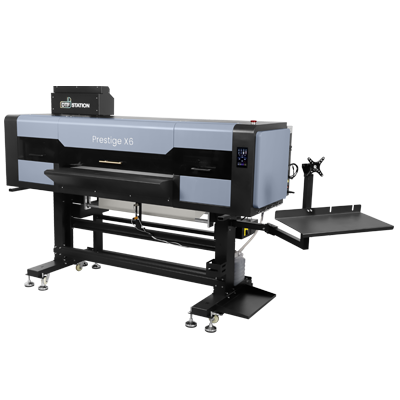 |
| Max. Printing Width | 33cm (13″) | 33cm (13″) | 45 cm (17.7″) | 60cm ( 23.62″) | 60cm ( 23.62″) | 60cm ( 23.62″) | 60cm ( 23.62″) | 90 cm (35.43″) |
| Printing Speed | 8Pass 720x1080dpi 0.97m²/h (10.44 ft²/h); 10Pass 720x1440dpi 0.73m²/h(7.86ft²/h); | 8Pass 700*1200DPI 4.04m2/h (43.49ft²/h); 12Pass 720*1800DPI 2.06m2/h (22.17ft²/h) | 6Pass, 720*1800dpi, 6.5m²/h (70.0ft²/h); 8Pass, 720*2400dpi, 5.0m²/h (53.8ft²/h) | 6Pass, 720*1800dpi, 7.7m²/h (82.9ft²/h); 8Pass, 720*2400dpi, 6.0m²/h (64.2ft²/h) | 8Pass, 720 x1200dpi, 4.8m²/h (51.67ft²/h); 12Pass, 720 x 1800dpi, 4.2m²/h (45.2ft²/h) | 6Pass 720*1800dpi 6.6m²/h (71.0ft²/h); 8Pass 720*2400dpi 6.3m²/h (67.5ft²/h) | 6Pass, 720*1800dpi, 13.9m²/h (149.1ft²/h); 8Pass 720*2400dpi 12.0m²/h (128.6ft²/h) | 6 Pass 720×1800 dpi: 16.7 m²/h (180 ft²/h) 8 Pass 720×2400 dpi: 12.6 m²/h (133.6 ft²/h) |
| Net Weight (kg) | 39.5 kg (87.1 lb) | 59 kg (130.1 lb) | 132 kg (291.0 lb) | 135 kg (297.6 lb) | 135 kg (297.6 lb) | 202 kg (445.0 lb) | 202 kg (445.0 lb) | 285 kg (628 lbs) |
| Main Board & Printer Head | DTF STATION PILOT/ Single EPSON F1080 | DTF STATION PILOT/ Dual EPSON i1600 | DTF STATION PILOT/ Dual Epson I3200 | DTF STATION PILOT/ Dual Epson I3200 | DTF STATION PILOT/ Epson i3200HD*1 + i1600*1 | DTF STATION PILOT/ Epson i3200x3 | DTF STATION PILOT/ Epson i3200x4 | DTF STATION PILOT/ Epson i3200A1 x6 |
| Daily Output Based on 28cmx34cm (11″x13″) gang sheet, 8 working hours | 81pcs (720x1080dpi); 61pcs (720x1440dpi). | 367pcs (720x1200dpi) ; 236pcs (720x1800dpi). | 463pcs (720x1800dpi); 409pcs (720x2400dpi). | 621pcs (720x1800dpi); 536pcs (720x2400dpi) | 545pcs (720 x1200dpi) ; 376pcs (720 x1800dpi). | 571pcs (720x1800dpi); 536pcs (720x2400dpi). | 1104pcs (720x1800dpi); 953pcs (720x2400dpi). | 1,440pcs (720x1800dpi); 1,152pcs (720*2400dpi ) |
| Size | Printer Size 85.0cm×63.8cm×44.0cm (33.5″L×25.1″D×17.3″H) Packing Size 94.5cm×60.5cm×45.5cm (37.2″l×23.8″D×17.9″H) | Printer Size 85.0cm×63.8cm×44.0cm (33.5″W × 25.1″D × 17.3″H) Packing Size 95.3cm×64.6cm×53.0cm (37.5″W × 25.5″D × 20.9″H) | Printer Size 116.0cm×75.0cm×141.6 cm (45.7″W × 29.5″D × 55.8″H) Packing Size 120cm×100cm×71.1cm (47.2″W × 39.4″D× 28.0″H) | Printer Size 166.0cm × 85.0cm×141.6cm (65.3″W × 33.5″D × 55.8″H) Packing Size 146.6cm×100cm×71.1cm (57.7″W × 39.4″D × 28.0″H) | Printer Size 165.95cm× 94.5cm×146.8cm (65.3″W × 37.2″D × 57.8″H) Packing Size 146.4cm×100.0cm × 71.1cm(57.7″W × 39.4″D × 28.0″H) | Printer Size 214.55cm× 107.0cm×165.3cm (84.5″W × 42.1″D × 65.1″H) Packing Size 210cm×110cm×74.2cm (82.7″W × 43.3″D × 29.2″H) | Printer Size 214.6cm×107.0cm×165.3cm (84.5″W × 42.1″D × 65.1″H) Packing Size 210cm×110cm×74.2 cm (82.7″W × 43.3″D × 29.2″H) | Printer Size 2530 × 1210 × 1610 mm (99.6″ × 47.6″ × 63.4″) Packing Size 280cm × 98cm × 83 cm (110.2″ × 38.6″ × 32.7″) |
Frequently Asked Questions
Is my DTF printhead permanently clogged, or is it a bad damper?
No, your printhead is likely not permanently clogged; a bad damper frequently causes the exact same symptoms. A failing damper perfectly mimics a dead printhead. Before spending $2,000 on a replacement printhead, always check your $30 dampers for air leaks or restricted flow. Failing dampers starve the printhead of ink, causing the exact same banding and missing white channels as a severe clog.
What this means for your business: Replacing a $30 consumable keeps your production online and protects your profit margins. Keep spare dampers in stock to guarantee uninterrupted fulfillment for your high-volume wholesale orders.
What are the exact temperature and humidity requirements to prevent DTF clogs?
The exact requirements to prevent DTF clogs are a strict 40%–60% relative humidity and a room temperature between 59°F–86°F (15°C–30°C). Dropping below 40% humidity causes the ink to instantly dry and calcify right on the nozzle plate. Fluctuating temperatures change the ink’s viscosity, which ultimately leads to ruined transfers.
What this means for your business: Strict climate control guarantees consistent print quality across all of your SKUs. Pitch your B2B clients on exact color matching for corporate apparel, knowing your controlled environment produces identical results on every batch.
Can I use hardware store solvents to clear a printhead clog?
No, you should never use hardware store solvents because they will permanently melt the delicate internal piezoelectric membranes of your printhead. These harsh chemicals degrade the delicate adhesives holding the nozzle plate together, turning a fixable clog into a catastrophic hardware failure.
Always use a dedicated DTF printhead cleaning solution formulated specifically for DTF chemistry. Stop risking your equipment with unverified chemicals. Explore DTF Station’s Color Prime maintenance supplies to safely dissolve blockages.
Why does my white DTF ink clog faster than CMYK colors?
White DTF ink clogs faster because it contains heavy Titanium Dioxide (TiO2) pigments that rapidly settle out of suspension compared to the lighter CMYK dyes. Without constant, mechanical agitation, this sediment packs into dense clogs that entirely block the printhead nozzles.
What this means for your business: Manual shaking costs you valuable labor hours and introduces air bubbles into your lines. Sell dark-garment bundles aggressively by upgrading to a machine with Automated White Ink Circulation (WIMS), ensuring your white underbase delivery is flawless every time.
How do I safely leave my DTF printer idle over the weekend?
To safely leave your DTF printer idle, you must perform a “wet capping” procedure to keep the printhead hydrated. Fill your capping station with distilled water or Color Prime Cleaning Solution to keep the printhead fully hydrated while idle. This prevents any residual ink from drying in the micro-nozzles.
What this means for your business: Proper downtime maintenance means you can fire up the printer on Monday morning and instantly start hitting your quota. Faster startup times mean faster turnaround times, allowing you to confidently charge premium rush fees to wholesale clients.
Conclusion: Stop Replacing Hardware and Start Printing Profitably
Clogged DTF printheads are usually a symptom of poor environmental control and inadequate maintenance, not a mandatory business expense. You can put an end to those painful $2,000 replacement costs simply by standardizing your preventative maintenance routines today.
Managing the heavy Titanium Dioxide (TiO2) in your white ink and strictly maintaining 40%–60% humidity keeps your production active and healthy. Swapping a failing damper before automatically assuming the printhead is dead will instantly protect your profit margins.
Consistent equipment uptime allows you to aggressively pitch high-margin dark apparel bundles to your B2B clients. Guaranteeing 24-hour turnarounds without the constant fear of a mid-run nozzle failure is exactly how you win lucrative wholesale contracts over slower competitors.
Your Action Plan for Maximum Uptime:
- Control the Climate: Lock your print room environment at 40%–60% humidity and 59°F–86°F (15°C–30°C) to stop ink calcification in its tracks.
- Hydrate During Downtime: Execute the wet capping technique using DTF Station Color Prime Cleaning Solution to protect your idle nozzles.
- Automate the White Ink: Rely on Automated White Ink Circulation (WIMS) to prevent TiO2 settling while you focus on fulfillment.
What this means for your business: Predictable machine performance translates directly into predictable revenue. You can stock up on blank apparel SKUs with total confidence, knowing your equipment will print flawless transfers exactly when your buyers demand them.
Stop losing money to downtime and ruined printheads. Upgrade your workflow with DTF Station’s Color Prime maintenance supplies, or explore our commercial DTF printers with automated white ink circulation to eliminate manual upkeep entirely.